> ## Documentation Index
> Fetch the complete documentation index at: https://docs.altheia.xyz/llms.txt
> Use this file to discover all available pages before exploring further.
# Provision an agent
> From the dashboard form to a funded agent with its own key, vault, and policy.
Provisioning creates three on-chain objects in one owner signature: a `Vault` funded with a budget asset, a `Policy` carrying the caps and scope, and a non-transferable `AgentCap` delivered to the agent's address. The dashboard composes this PTB for you and tops up the agent key with gas.
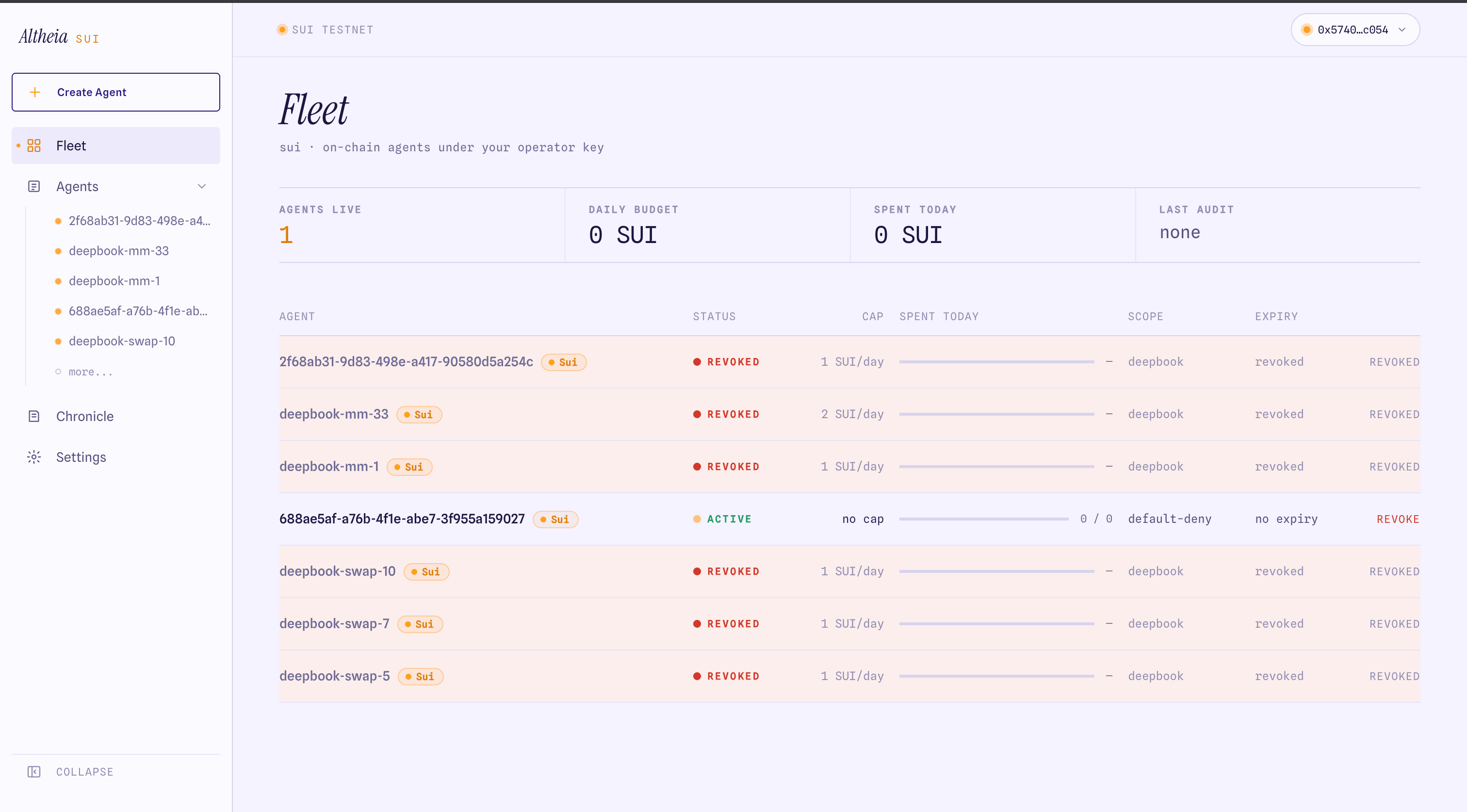
## 1. Open the dashboard
[altheia.xyz/sui](https://altheia.xyz/sui) → connect your Sui wallet → switch to **Testnet** → **Create Agent**.
 ## 2. Fill the form
| Field | What it sets | On-chain |
| ------------------------- | ----------------------------------------------------- | ---------------------------- |
| **Name** | Agent label. Surfaces in audit rows. | `agent_id` |
| **Budget asset + amount** | The coin the agent spends, and the initial deposit. | `Vault` balance + `AssetCap` |
| **Per-tx cap** | Max per single action. `0` disables the per-tx check. | `AssetCap.per_tx_cap` |
| **Per-day cap** | Max cumulative spend per rolling 24h. | `AssetCap.per_day_cap` |
| **Allowed actions** | Capability allowlist, default-deny. | `allowed_actions` |
| **Scope** | The package/pool the agent may touch. | `allowed_packages` |
| **Expiry** | When the policy stops permitting actions. | `expires_at_ms` |
Start tight. SUI `per_tx 0.5 / per_day 2`, one action (`swap`), one pool in scope. The owner can edit caps and pause or revoke from the agent detail page at any time.
## 3. Sign the provisioning transaction
You sign **one** transaction. It runs `provision_open`, `deposit`, `mint_policy_open`, `add_asset_cap`, the swap value-guard, `mint_agent_cap_for`, shares the vault and policy, and sends gas to the agent address — all in one PTB. This is `provisionAgentMulti` in the SDK.
## 4. Save the agent key
After the transaction lands, the dashboard shows the agent's private key once. It is the only secret the agent process needs:
```bash theme={null}
AGENT_PRIVKEY=suiprivkey1...
```
`agentRefs(client, agentAddr)` derives the vault, policy, and cap from the `AgentCap` the key owns. The owner keeps the `OwnerCap` (in the connected wallet) for pause, revoke, and drain.
The agent key is shown once. Save it before closing the modal. The `AgentCap` is non-transferable, so a lost key means revoking and provisioning a new agent.
## 5. Check the agent
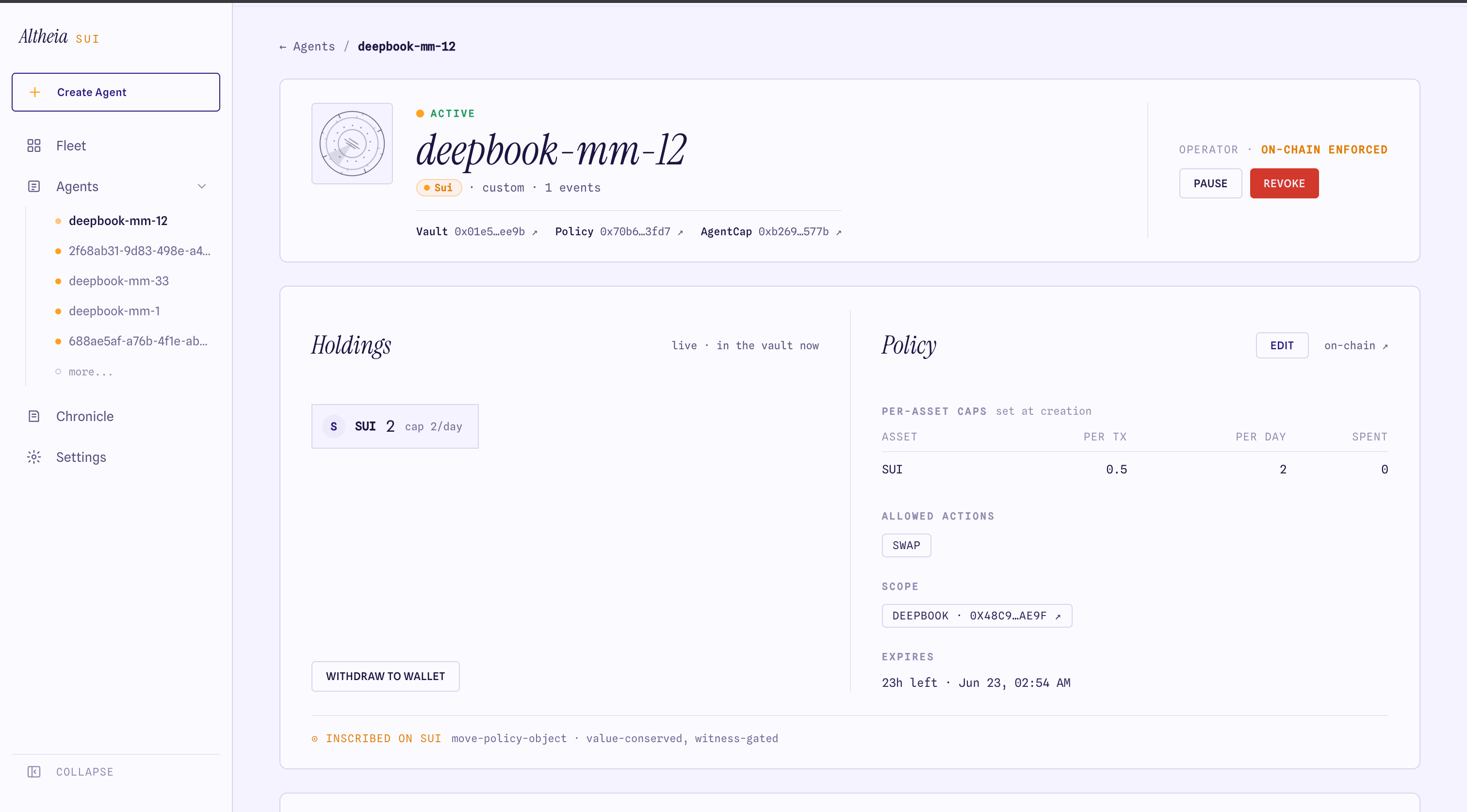
The agent detail page shows the live vault balance, the policy caps read from chain, the allowed actions, and the scope.
## 2. Fill the form
| Field | What it sets | On-chain |
| ------------------------- | ----------------------------------------------------- | ---------------------------- |
| **Name** | Agent label. Surfaces in audit rows. | `agent_id` |
| **Budget asset + amount** | The coin the agent spends, and the initial deposit. | `Vault` balance + `AssetCap` |
| **Per-tx cap** | Max per single action. `0` disables the per-tx check. | `AssetCap.per_tx_cap` |
| **Per-day cap** | Max cumulative spend per rolling 24h. | `AssetCap.per_day_cap` |
| **Allowed actions** | Capability allowlist, default-deny. | `allowed_actions` |
| **Scope** | The package/pool the agent may touch. | `allowed_packages` |
| **Expiry** | When the policy stops permitting actions. | `expires_at_ms` |
Start tight. SUI `per_tx 0.5 / per_day 2`, one action (`swap`), one pool in scope. The owner can edit caps and pause or revoke from the agent detail page at any time.
## 3. Sign the provisioning transaction
You sign **one** transaction. It runs `provision_open`, `deposit`, `mint_policy_open`, `add_asset_cap`, the swap value-guard, `mint_agent_cap_for`, shares the vault and policy, and sends gas to the agent address — all in one PTB. This is `provisionAgentMulti` in the SDK.
## 4. Save the agent key
After the transaction lands, the dashboard shows the agent's private key once. It is the only secret the agent process needs:
```bash theme={null}
AGENT_PRIVKEY=suiprivkey1...
```
`agentRefs(client, agentAddr)` derives the vault, policy, and cap from the `AgentCap` the key owns. The owner keeps the `OwnerCap` (in the connected wallet) for pause, revoke, and drain.
The agent key is shown once. Save it before closing the modal. The `AgentCap` is non-transferable, so a lost key means revoking and provisioning a new agent.
## 5. Check the agent
The agent detail page shows the live vault balance, the policy caps read from chain, the allowed actions, and the scope.
 ## Provision programmatically
`provisionAgentMulti(exec, params)` does the same in one owner signature without the dashboard. See [PTB builders](/sdk/builders#provisioning).
Wire `@altheia-xyz/sui` into your agent process.
## Provision programmatically
`provisionAgentMulti(exec, params)` does the same in one owner signature without the dashboard. See [PTB builders](/sdk/builders#provisioning).
Wire `@altheia-xyz/sui` into your agent process.